


Best Free AI PDF Tools
PDF files are everywhere. Students use them for notes and textbooks, businesses use them for reports and documents, and professionals regularly receive lengthy PDFs that can take hours to read.
Artificial intelligence has made working with these documents much easier. Instead of reading an entire 100-page document manually, you can now use AI tools to summarize PDFs, ask questions about their contents, extract information and understand complicated documents faster.
Thank you for reading this post, don't forget to subscribe!

In this guide, we look at some of the best free AI PDF tools available in 2026 and explain what each one can be used for.
What Are AI PDF Tools?
AI PDF tools use artificial intelligence to understand the contents of a document.
Depending on the platform, you may be able to:
- Summarize lengthy PDFs
- Ask questions about a document
- Find specific information
- Extract text from PDFs
- Understand research papers
- Generate notes
- Explain difficult sections
- Translate document content
- Analyze tables and other information
This can save considerable time when dealing with large documents.
1. Google NotebookLM
Best for: Studying and researching multiple documents
NotebookLM is Google’s AI-powered research and learning tool. Users can provide supported sources and then ask questions based on those materials.
It can be particularly useful for students and researchers who need to understand several documents together.
Useful For
- Study notes
- Research papers
- Reports
- Lecture material
- Question answering
- Document summaries
One major advantage is that you can ask questions conversationally rather than repeatedly searching through a long PDF.
2. Adobe Acrobat AI Assistant
Best for: Working with PDFs
Adobe Acrobat offers AI-powered features designed specifically around document workflows.
Depending on the current plan and availability, users can use AI features to help summarize documents and ask questions about their contents.
It is particularly convenient if you already work with PDF files regularly.
Useful For
- Summarizing documents
- Understanding long PDFs
- Finding information
- Working with business documents
Free availability and feature limits can change, so check Adobe’s current plan before relying on a particular feature.
3. ChatPDF
Best for: Asking questions about a PDF
ChatPDF is designed around a simple idea: upload a PDF and start asking questions about it.
Instead of manually searching through pages, you can ask something like:
“What are the main points discussed in this document?”
or:
“Explain the conclusion in simple language.”
This makes it useful for students, researchers and professionals.
4. Smallpdf AI PDF Tools
Best for: Everyday PDF tasks
Smallpdf provides a collection of browser-based PDF tools, including AI-powered document features.
The platform can be useful if you regularly need to:
- Summarize PDFs
- Convert documents
- Compress files
- Merge PDFs
- Extract information
- Edit PDF documents
Its biggest advantage is that you can access several PDF utilities from one website.
5. iLovePDF
Best for: PDF management
iLovePDF is better known for its large collection of traditional PDF utilities, but it also provides AI-related document capabilities.
You can use the platform for common tasks such as:
- PDF compression
- PDF conversion
- Merging documents
- Splitting PDFs
- OCR
- Document processing
This makes it a useful option when you need both AI-related functionality and regular PDF tools.
6. UPDF AI
Best for: AI-assisted PDF reading
UPDF combines traditional PDF editing with AI-powered features.
Depending on the available plan, its AI functionality can help users interact with documents, summarize content and find information more efficiently.
It can be useful for people who want a dedicated PDF application rather than relying entirely on browser-based tools.
7. Humata AI
Best for: Research documents
Humata is designed around asking questions and extracting insights from documents.
It can be useful when dealing with:
- Research papers
- Technical documents
- Legal documents
- Reports
- Academic material
Instead of manually reading every page, users can ask the AI to identify important sections and explain the information.
Best AI PDF Tool for Students
Students often deal with textbooks, research papers, lecture notes and lengthy study materials.
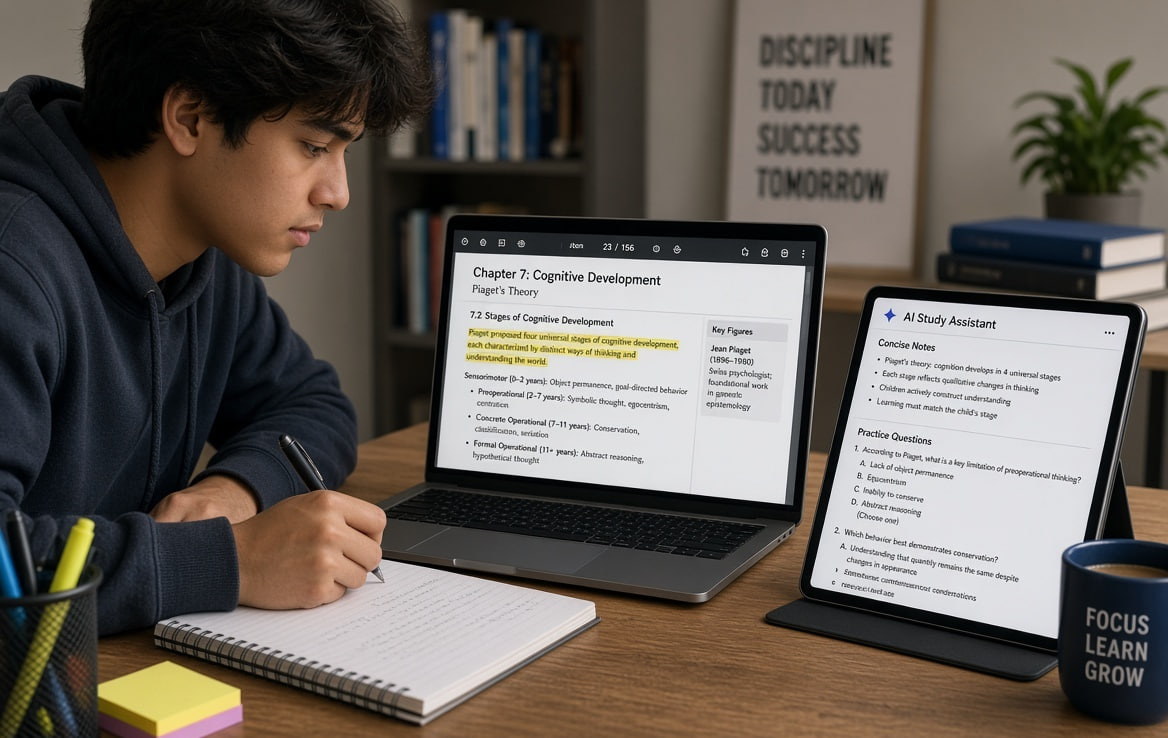
For this use case, a tool that can answer questions from uploaded material and generate understandable summaries can be particularly useful.
Are you a Job-Seeker ? Visit HERE for regular job, employment updates.
For example, instead of reading a 60-page research paper immediately, you could ask:
- What is this paper about?
- What problem does it address?
- What methodology was used?
- What are the main findings?
- Explain the conclusion in simple English.
This can make revision much faster.
Best AI PDF Tool for Researchers
Researchers usually need more than a simple summary.
They may need to find:
- Specific references
- Research methodology
- Statistics
- Conclusions
- Previous studies
- Important terminology
AI PDF tools can help locate relevant information faster, but important claims should still be checked against the original document.
AI PDF Tools vs Traditional PDF Readers
| Feature | Traditional PDF Reader | AI PDF Tool |
|---|---|---|
| Read PDF | Yes | Yes |
| Search text | Yes | Yes |
| Summarize | Usually No | Yes |
| Ask questions | No | Yes |
| Explain content | No | Yes |
| Extract key points | Manual | AI-assisted |
| Analyze multiple sources | Limited | Depends on tool |
The biggest difference is that an AI PDF tool allows you to interact with the document rather than simply read it.
How to Use an AI PDF Tool
The basic process is usually straightforward.
Step 1: Choose a Tool
Select a service based on the type of PDF you’re working with.
Step 2: Upload the PDF
Upload your document through the website or application.
Step 3: Ask a Question
Start with a simple question such as:
“Summarize this PDF in 10 bullet points.”
Step 4: Ask Follow-Up Questions
You can then ask more specific questions about the document.
Step 5: Verify Important Information
Always compare important facts, numbers, quotations and conclusions with the original PDF.
Important Privacy Warning
Don’t blindly upload confidential documents to an online AI service.
Be particularly careful with:
- Bank statements
- Identity documents
- Passwords
- Private contracts
- Medical documents
- Confidential business files
- Personal financial records
Before uploading sensitive information, read the service’s privacy policy and understand how uploaded documents are handled.
Can AI Read Scanned PDFs?
This depends on the tool.
A normal text-based PDF contains selectable text. A scanned PDF may essentially be a collection of images.
For scanned documents, you generally need OCR (Optical Character Recognition) before AI can reliably understand the text.
Some modern PDF platforms combine OCR with AI, allowing users to work with scanned documents more easily.
Tips for Getting Better Results
Don’t simply upload a PDF and ask vague questions.
Instead, give the AI a specific task.
For example:
Weak prompt:
“Explain this PDF.”
Better prompt:
“Summarize this PDF in 10 bullet points and highlight the most important dates, numbers and conclusions.”
For studying:
“Create 20 exam-oriented questions and answers from this PDF. Keep the answers concise.”
For research:
“Identify the research objective, methodology, sample size, key findings and limitations mentioned in this paper.”
Specific prompts generally produce more useful results.
Quick Comparison
| Tool | Main Use | Free Access |
|---|---|---|
| NotebookLM | Research & study | Available, limits may apply |
| ChatPDF | Chat with PDFs | Free tier available |
| Adobe Acrobat | PDF + AI workflows | Limited features may apply |
| Smallpdf | PDF + AI tools | Free/limited tools |
| iLovePDF | PDF utilities | Free/limited tools |
| UPDF AI | PDF + AI | Free/limited access |
| Humata | Research & document Q&A | Free/limited access |
Note: Free quotas, supported file types, upload limits and AI features can change. Check each provider’s current terms before publishing exact limits on your own website.
Frequently Asked Questions
Q. What is the best free AI PDF tool?
There isn’t one tool that is best for every use case. NotebookLM can be useful for research and study, while ChatPDF focuses specifically on interacting with uploaded PDFs. Other platforms combine AI with broader PDF editing features.
Q. Can AI summarize a 100-page PDF?
Yes, many AI document tools can process lengthy PDFs, although the maximum file size, page count and free usage limits depend on the platform.
Q. Can I chat with a PDF for free?
Yes. Several services provide free or limited free access to PDF question-and-answer features.
Q. Can AI extract text from a scanned PDF?
Some tools can use OCR to recognize text in scanned documents. However, accuracy can vary depending on scan quality, handwriting, language and document formatting.
Q. Are AI PDF tools safe?
Reputable platforms generally provide security and privacy information, but you should still avoid uploading highly sensitive documents unless you understand how the service handles your files.
Final Thoughts
AI PDF tools are changing the way people work with long documents. Instead of spending hours searching through pages, users can summarize documents, ask questions, extract important information and create study notes with AI assistance.
For students, researchers, bloggers and professionals, these tools can become valuable productivity utilities.
However, AI should be treated as an assistant rather than an unquestionable source. Always verify important information against the original document, especially when dealing with legal, financial, academic or professional material.
If you’re just getting started, try a simple PDF-chat tool with a non-sensitive document and experiment with specific prompts. You’ll quickly see how much easier it can be to work with long PDFs.